Tag Management
ANTA uses tags to define test-to-device mappings (tests run on devices with matching tags) and the --tags CLI option acts as a filter to execute specific test/device combinations.
Defining tags
Device tags
Device tags can be defined in the inventory:
---
anta_inventory:
  hosts:
    - name: dc1-leaf1a
      host: 172.16.1.101
      tags: [dc1, leaf]
    - name: dc1-leaf1b
      host: 172.16.1.102
      tags: [dc1, leaf]
    - name: dc1-leaf1c
      host: 172.16.1.151
      tags: [dc1, leaf]
    - name: dc1-leaf2a
      host: 172.16.1.103
      tags: [dc1, leaf]
    - name: dc1-leaf2b
      host: 172.16.1.104
      tags: [dc1, leaf]
    - name: dc1-leaf2c
      host: 172.16.1.152
      tags: [dc1, leaf]
    - name: dc1-spine1
      host: 172.16.1.11
      tags: [dc1, spine]
    - name: dc1-spine2
      host: 172.16.1.12
      tags: [dc1, spine]
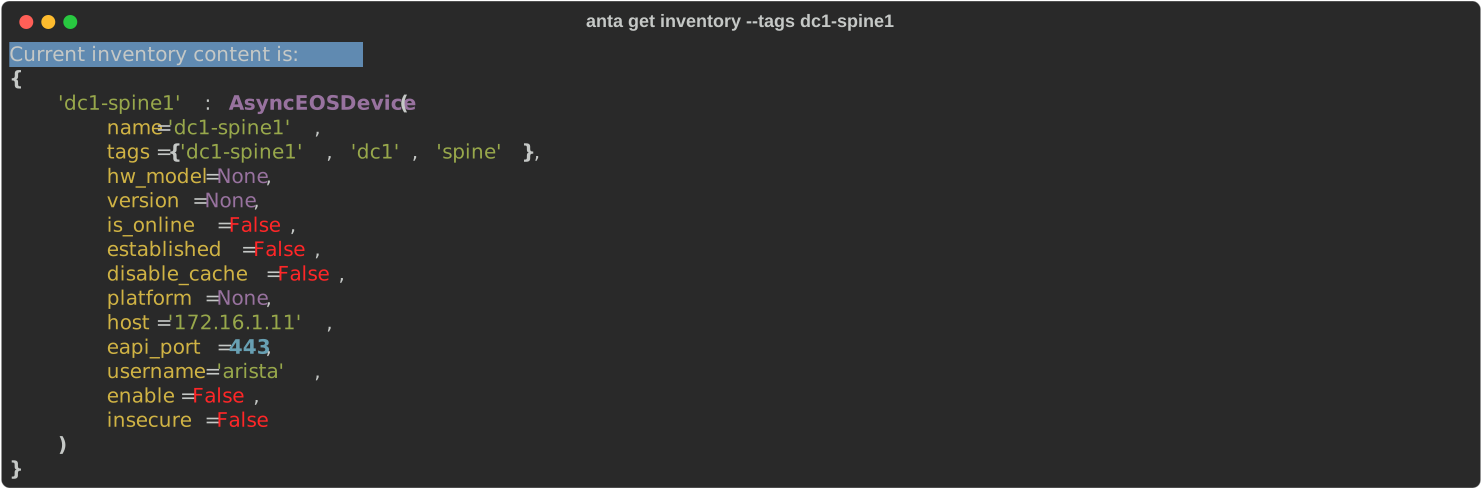
Each device also has its own name automatically added as a tag:
anta get inventory --tags dc1-spine1
Test tags
Tags can be defined in the test catalog to restrict tests to tagged devices:
---
anta.tests.software:
  - VerifyEOSVersion: # Verifies the device is running one of the allowed EOS version.
      versions: # List of allowed EOS versions.
        - 4.31.4M
        - 4.32.1F
        - 4.34.0F-41661064.4340F (engineering build)
      filters:
        tags: [leaf, spine]
  - VerifyTerminAttrVersion:
      versions:
        - v1.38.0
      filters:
        tags: [leaf, spine]

anta.tests.system:
  - VerifyUptime: # Verifies the device uptime is higher than a value.
      minimum: 1
      filters:
        tags: [leaf, spine]
  - VerifyNTP:
      filters:
        tags: [leaf, spine]

anta.tests.mlag:
  - VerifyMlagStatus:
      filters:
        tags: [leaf, spine]
  - VerifyMlagInterfaces:
      filters:
        tags: [leaf, spine]
  - VerifyMlagConfigSanity:
      filters:
        tags: [leaf, spine]

anta.tests.configuration:
  - VerifyZeroTouch: # Verifies ZeroTouch is disabled.
      filters:
        tags: [leaf, spine]
Tip
A tag used to filter a test can also be a device name. You can also define the same test multiple times with different inputs and tags to apply device-specific expectations.
Using tags
| Command | Description |
|---|---|
No --tags option |
Run all tests on all devices according to the tag definitions in your inventory and test catalog.Tests without tags are executed on all devices. |
--tags leaf |
Run all tests marked with the leaf tag on all devices configured with the leaf tag.All other tests are ignored. |
--tags leaf,spine |
Run all tests marked with the leaf tag on all devices configured with the leaf tag.Run all tests marked with the spine tag on all devices configured with the spine tag.All other tests are ignored. |
Examples
The following examples use the inventory and test catalog defined above.
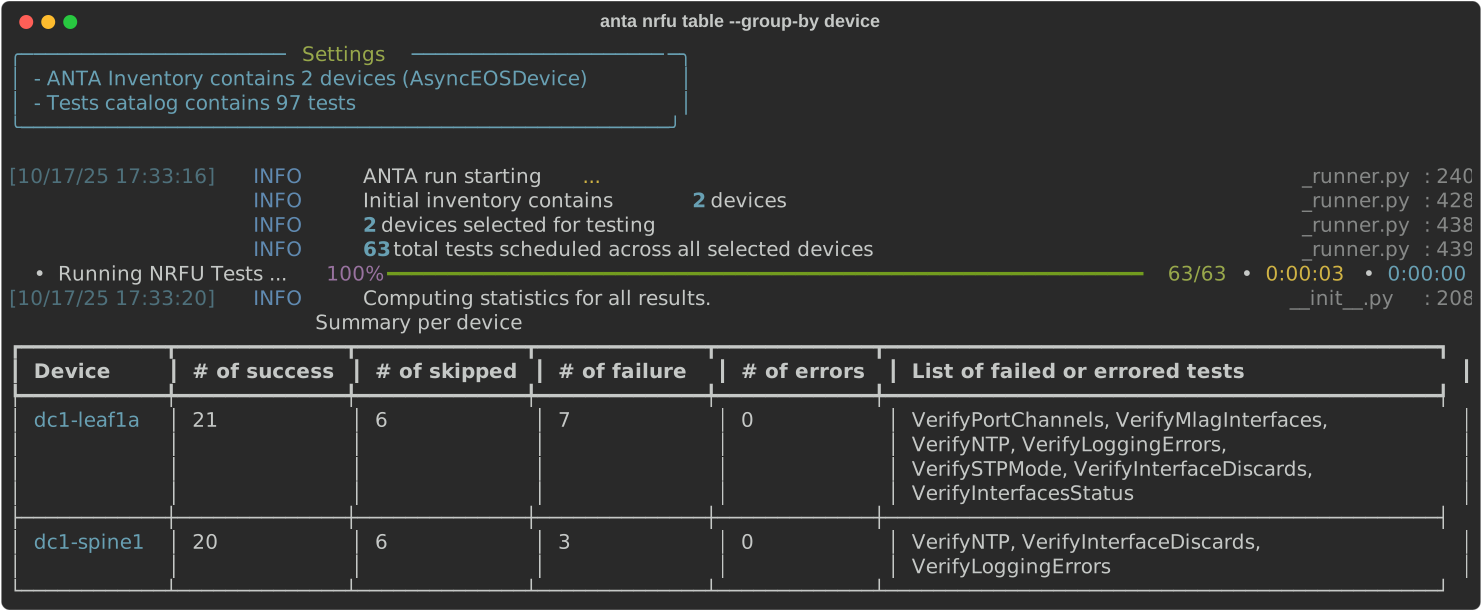
No --tags option
Tests without tags are run on all devices. Tests with tags will only run on devices with matching tags.
anta nrfu table --group-by device
Single tag
With a tag specified, only tests matching this tag will be run on matching devices.
anta nrfu --tags leaf text
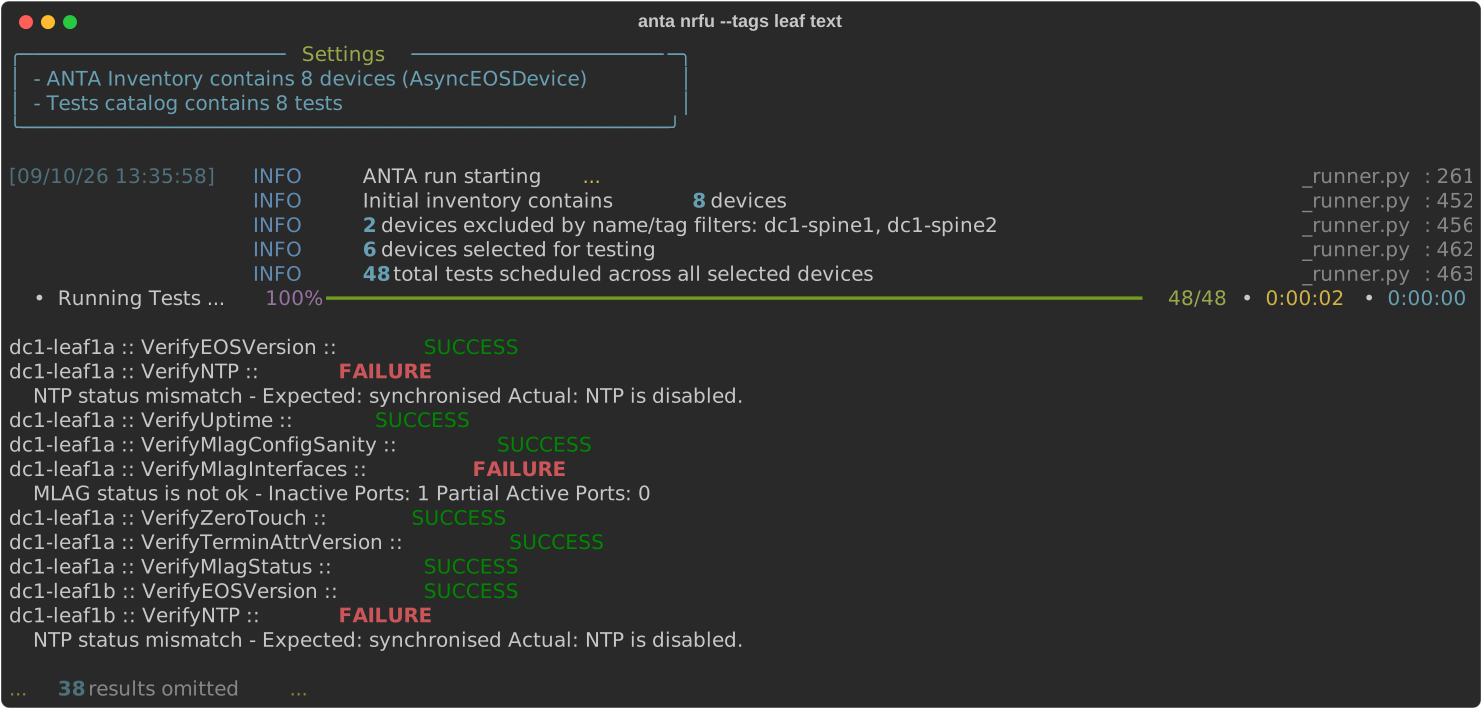
In this case, only leaf devices defined in the inventory are used to run tests marked with the leaf in the test catalog.
Multiple tags
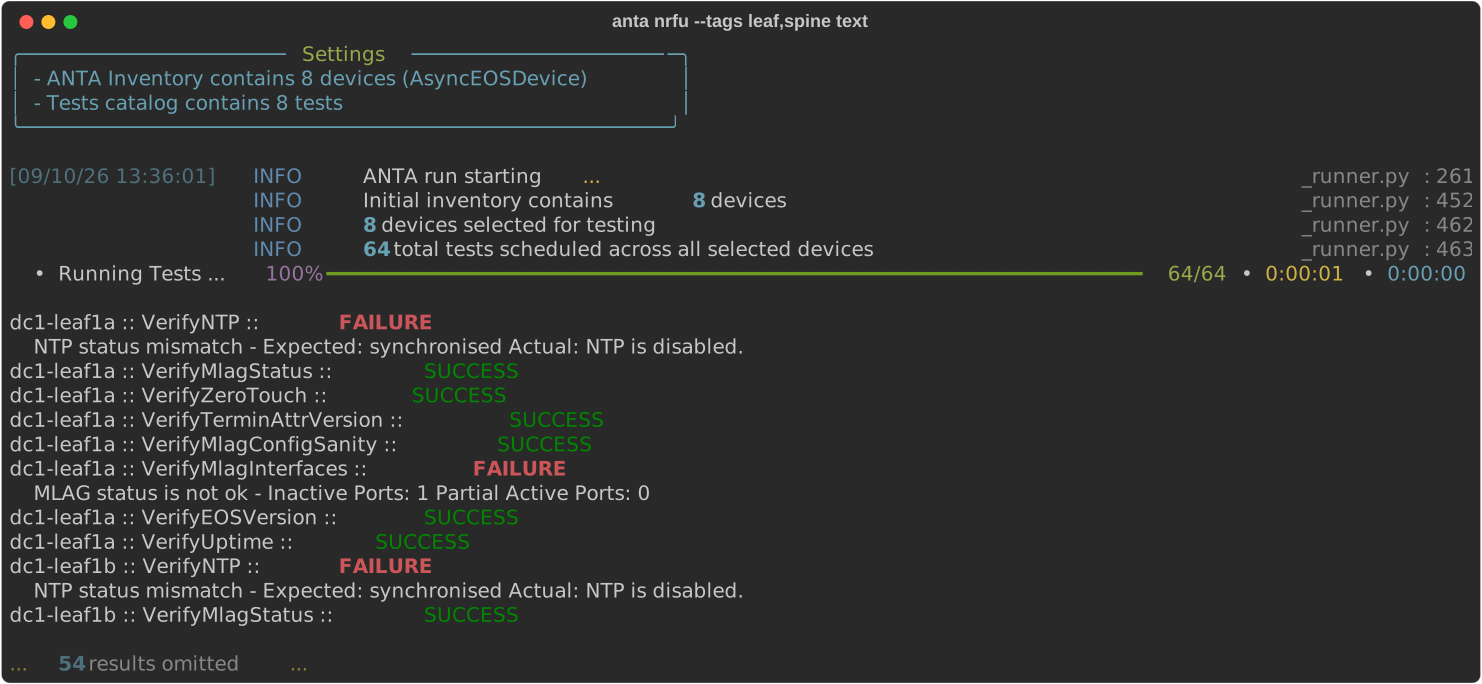
It is possible to use multiple tags using the --tags tag1,tag2 syntax.
anta nrfu --tags leaf,spine text
Obtaining all configured tags
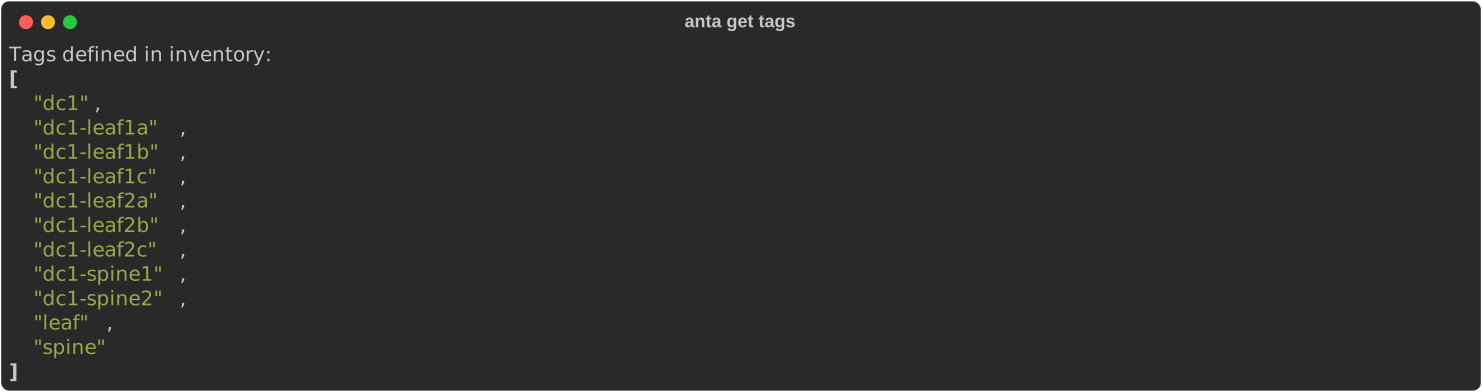
As most ANTA commands accommodate tag filtering, this command is useful for enumerating all tags configured in the inventory. Running the anta get tags command will return a list of all tags configured in the inventory.
Command overview
$ anta get tags --help
Usage: anta get tags [OPTIONS]

  Get list of configured tags in user inventory.

Options:
  -u, --username TEXT             Username to connect to EOS  [env var:
                                  ANTA_USERNAME; required]
  -p, --password TEXT             Password to connect to EOS that must be
                                  provided. It can be prompted using '--
                                  prompt' option.  [env var: ANTA_PASSWORD]
  --enable-password TEXT          Password to access EOS Privileged EXEC mode.
                                  It can be prompted using '--prompt' option.
                                  Requires '--enable' option.  [env var:
                                  ANTA_ENABLE_PASSWORD]
  --enable                        Some commands may require EOS Privileged
                                  EXEC mode. This option tries to access this
                                  mode before sending a command to the device.
                                  [env var: ANTA_ENABLE]
  -P, --prompt                    Prompt for passwords if they are not
                                  provided.  [env var: ANTA_PROMPT]
  --timeout FLOAT                 Global API timeout. This value will be used
                                  for all devices.  [env var: ANTA_TIMEOUT;
                                  default: 30.0]
  --insecure                      Disable SSH Host Key validation.  [env var:
                                  ANTA_INSECURE]
  --disable-cache                 Disable cache globally.  [env var:
                                  ANTA_DISABLE_CACHE]
  --use-session-auth / --no-session-auth
                                  Enable or explicitly disable eAPI session
                                  authentication globally. When unset, per-
                                  device inventory values apply.  [env var:
                                  ANTA_USE_SESSION_AUTH]
  -i, --inventory FILE            Path to the inventory YAML file.  [env var:
                                  ANTA_INVENTORY; required]
  --inventory-format [yaml|json]  Format of the inventory file, either 'yaml'
                                  or 'json'  [env var: ANTA_INVENTORY_FORMAT]
  --tags TEXT                     List of tags using comma as separator:
                                  tag1,tag2,tag3.  [env var: ANTA_TAGS]
  --help                          Show this message and exit.
Example
To get the list of all configured tags in the inventory, run the following command:
anta get tags